
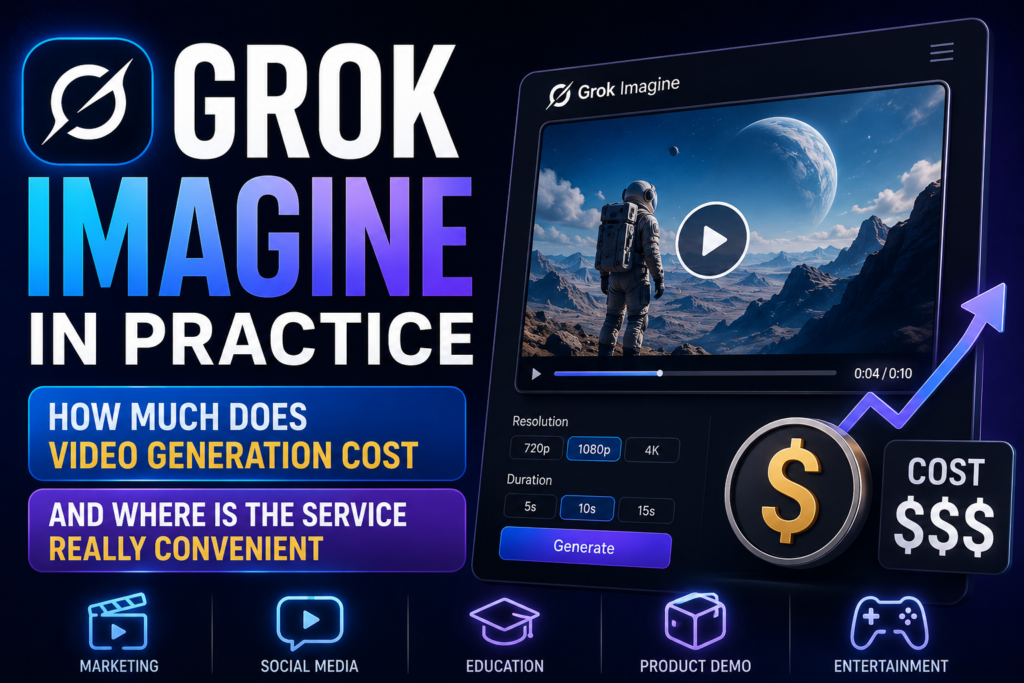
I have the same story with Grok as with many high-profile AI– services: until you look at what’s going on with the price, limits and actual operating modes, the whole conversation about quality remains too general. U video generator xAI has a strong point, and it’s understandable. The service is not limited to one button to create a video based on the text. He can bring an image to life, take references, edit a finished video and continue the clip using a text command. For practice, this is more important than any beautiful promises.
The xAI website directly states that Grok can generate images and videos on the web and in mobile applications, but does not describe a detailed public price for an ordinary xAI user on the pages found. But from the API the picture is already clearer, and there we can talk in detail.
Official page of the service: Grok.
Where is Grok video generation located at all
In short, Grok has two layers. The first –custom. xAI writes that Grok is available on Grok.com, iOS– and Android– applications, as well as on the X platform. These pages directly mention image generation and video generation. That is, from the point of view of an ordinary user, Grok’s video exists not only in developer documentation. The second layer – is the API. And there are already specific modes, parameters, restrictions and a description of how everything works under the hood.
This is important for application use because the custom version and API– are not the same thing. In the web and application, convenience, speed and the fact of access are important to you. In the API, you already have to think about the cost, queues, duration of the video, references and how exactly to integrate generation into your process. If you just need one –two videos a week, the web– version may be sufficient. If you need to make a video regularly or embed it in a product, you can’t go anywhere without an API.
- Grok on the website and in apps can not only chat with people in chat, but also generate videos quite well.
- For developers, xAI has a separate Grok Imagine API.
- It is in the API that operating modes and technical limitations are described in detail.
What Grok Imagine can do
The xAI video model already has a completely mature set of functions. It can create videos based on text request, animate one image, use a set of reference pictures, edit the finished video and continue the already generated fragment according to the text instruction. In practice, this means that Grok is suitable not only for classic text–to–video, but also for a more understandable logic, when the user first makes the base, then makes edits, and then extends the video if necessary.
With references, Grok works quite conveniently. Up to 7 images can be transmitted so that the model holds people, objects, clothing or a common visual set inside the video. This is useful for product videos, characters and scenes where you need to not just get a beautiful movement, but more–less consolidate the visual image. But there is a strict limitation here: if reference images are used, the duration of the video cannot exceed 10 seconds.
There is one more important rule. The modes don’t mix. You can select one thing in one request: either text–to–video, image–to–video, or working with references. The service will not allow you to connect everything at once. For the user, this is more of a plus than a minus. When modes are strictly separated, there is less temptation to collect one overloaded request and then wonder why the video came out strange.
- text–to–video is suitable when the video is built from scratch according to the description;
- image–to–video is needed if there is a starting image that should be the first frame;
- reference images are convenient when you need to maintain the appearance of an object, thing or character;
- separately, there is editing and continuation of the finished video.
What it looks like in practice
For xAI, video is not generated instantly. The documentation directly states that the process is asynchronous. First, the service accepts the request and issues a request_id, then you need to wait for the finished file. This is hidden in the SDK: the library itself polls the server and returns the result when the video is ready. If you work directly through the REST API, you need to process the wait loop yourself.
Useful features include customizable duration, aspect ratio and resolution. In the official example, xAI shows the generation of a 10–second video in 720p and 16:9 format. This does not mean that the service can only do this. The documentation directly states that the duration, aspect ratio and resolution are specified by the query parameters. But even here it’s better not to expect that one long video will solve everything. Grok, like other modern ones video models, it is better to use for short fragments, rather than for one large clip in its entirety.
A good working approach looks like this: first, a short roller, then spot editing or extension, then assembling several fragments in a montage. For ads, teasers, product inserts and short scenes, this is much more reliable than trying to get a long finished episode right away with one request.
How much Grok Imagine costs
For the average user, xAI describes in detail access to Grok on its website and applications on open pages, but does not provide the same clear public table specifically for video generation in the consumer version. Therefore, I will not promise a specific price for the video on Grok.com. There is no such breakdown on the official pages found.
S API the situation is much more transparent. xAI separately displayed the Grok Imagine API and directly writes that this is a video–audio generative model for end–to–end creative workflows. The xAI public record also includes a price of $4.20 per minute of video generation from audio. This is an important guideline, because the service calculates the cost not by abstract points, but by the length of the video. In terms of conversion, this is approximately $0.07 per second. This format is convenient because the price is easier to read in advance: 10 seconds costs about $0.70, 20 seconds – about $1.40.There is one more nuance to remember. The Batch API for xAI does exist, but the 50% discount there only applies to text and language models. To generate images and videos, batch is supported, but charged at the usual rate.
When Grok Imagine is really handy
What looks strongest about this service is not just generation from scratch, but all the work around the video. If you need to take an image and revive it, add or remove an object in a scene, hold a set of visual references, and then extend the fragment further, Grok looks more interesting than many services, where everything rests on one button with generation by text. For production, this is a completely applied thing: there are fewer jumps between different instruments.
Grok is especially useful where there are short but repetitive tasks. For example, product videos, one-character videos, short advertising scenes, poster animations and quick teasers. References help hold objects and characters, while edit and extend allow you to avoid starting all over again after each edit.
Roughly speaking, Grok is more convenient where you need not one beautiful random video, but several controlled iterations over one scene.
Where Grok starts to have restrictions
The first limitation is quite prosaic: the service opens up more strongly through the API, and not just through the regular web–interface. For some users, this is a minus, because not everyone needs a development path with keys, SDK and price calculation per minute. The second limitation concerns the short format. Yes, the model can edit and extend videos, but its logic is still better read on compact fragments than on long videos.
There are also purely working parts. When using reference images, image–to–video or video editing cannot be enabled at the same time. One request always has only one mode. In addition, references are limited to 7 pictures and 10 seconds of length. This is often enough for neat production. It’s already cramped for a complex scene with many introductions.
Another point that is better to be honest is that the availability of xAI models may depend on the geography and limitations of the account. This is expressly stated in the documentation. Therefore, before building a workflow around Grok, it’s better to check access to the model in your account, rather than focusing on other people’s screenshots and reviews.
How to make good use of Grok rather than just testing for the test
If you work with Grok as a regular generator at random, money and time fly away quickly. It’s better to take short steps. First, select one mode. If there is a ready-made picture and you need to move, take image–to–video. If the repeatability of a character or item is important, use references. If the scene is almost ready, and you only need to edit one element, do not regenerate the video again, but go through editing.
The second rule is simple: the shorter and more accurate the request, the better. Grok’s strength is not that it guesses vague intentions, but that it follows instructions well. Therefore, instead of a general request like making a spectacular video about a product, it is better to immediately write what is in the frame, how the camera moves, what should change and how many seconds the fragment lasts.
The third rule concerns the budget. If you need a lot of video, it is better to count in advance not as videos, but as seconds. The Grok Imagine API has just such a price logic, and it is sobriety. It immediately becomes clear when it is worth doing several short runs and when one is long.
| What to see | What is important to know |
|---|---|
| Access | Grok is on Grok.com, in iOS and Android, on X, and through the xAI API |
| Main video model | grok–imagine–video |
| Modes | text–to–video, image–to–video, reference images, editing, renewal |
| References | Up to 7 images, maximum 10 seconds per request |
| Options | You can set duration, aspect ratio and resolution |
| API price | About $4.20 per minute video with audio |
| Batch API | Supported for videos, but without 50% discount |
FAQ
Is it possible to use Grok to generate videos without an API?
Yes. xAI directly writes that Grok can image and video generation on Grok.com and in mobile applications. But the company does not disclose the detailed public price specifically for consumer video generation on the pages found.
What can Grok Imagine do besides text–to–video?
He can animate an image, use reference pictures, edit videos and continue a finished video.
How much does video generation cost through API?
The xAI public record shows a price of $4.20 per minute for video with audio.
Can many references be used?
Yes, but no more than 7 per request. In this case, the duration of the video with references is limited to 10 seconds.
Is Grok suitable for long rollers?
It is better to perceive it as a tool for short fragments, edits and extensions of scenes, and collect long items from several pieces.